DeskSpace
Pens and notebooks need reachable storage; cables need a route that permits movement and maintenance. A drawer and cable tray answer those different jobs. Identify the item and its available mounting zone before deciding that an accessory combination belongs under your desk.
This is a US identification and installation-reference guide using sources read October 12, 2026. It does not report a DeskSpaceLab mounting, load or electrical test, and it supplies no verified current bundle or purchase link.
Identify S07 M, S07 L and CMP502 separately
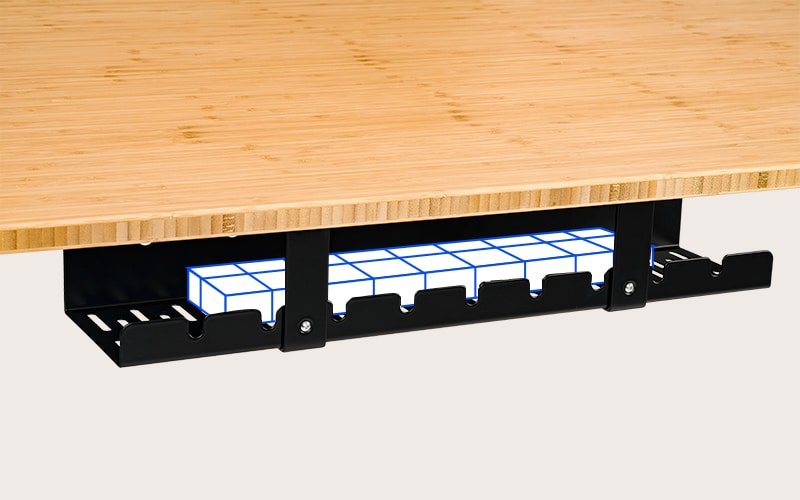
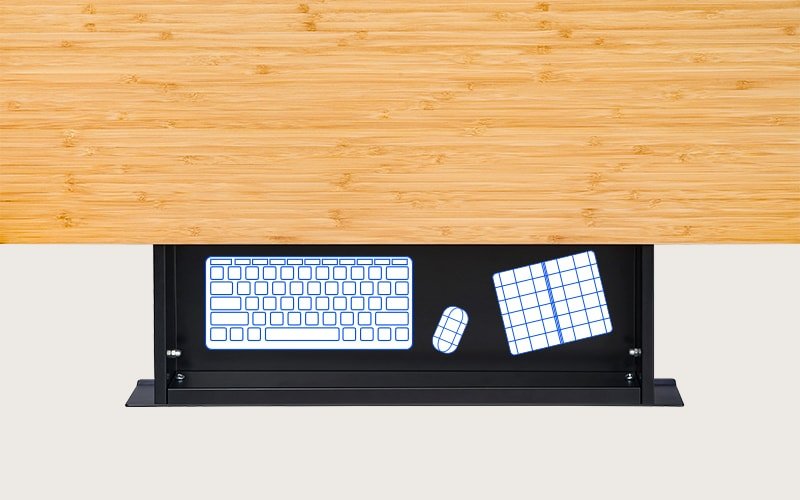
The individual S07 page distinguishes M and L drawer sizes. The CMP502 page identifies the cable tray.
| Item | Documented role | What must be checked separately |
|---|---|---|
| S07 M | Smaller drawer in the S07 record | Usable interior, opening path and mounting kit |
| S07 L | Wider drawer in the same record | Its own complete housing and installation space |
| CMP502 | Cable tray rather than enclosed drawer storage | Kit, tray payload and access to the retained equipment |
Outside dimensions reserve space for the housing. Inside dimensions address the objects stored there. Neither establishes a drawer's full opening path or room for the legs.
The S07 page lists a drawer load and describes attachment with supplied screws. CMP502's installation guide describes a separate organizer, but the read sources did not establish its tray payload or minimum tabletop thickness. Do not transfer a drawer or desk capacity to the tray.
A mounting claim needs the actual desk
The S07 page's compatibility wording refers to desktop width in one place and minimum depth in another. Clarify the applicable restriction for the exact desk rather than rewriting width as depth or treating a depth statement as approval around a frame.
The linked S07 manual could not be read in the October 12 research. Screw length, hole layout, approved top construction and opening travel remain unresolved. Obtain the guide matching the drawer and its supplied kit.
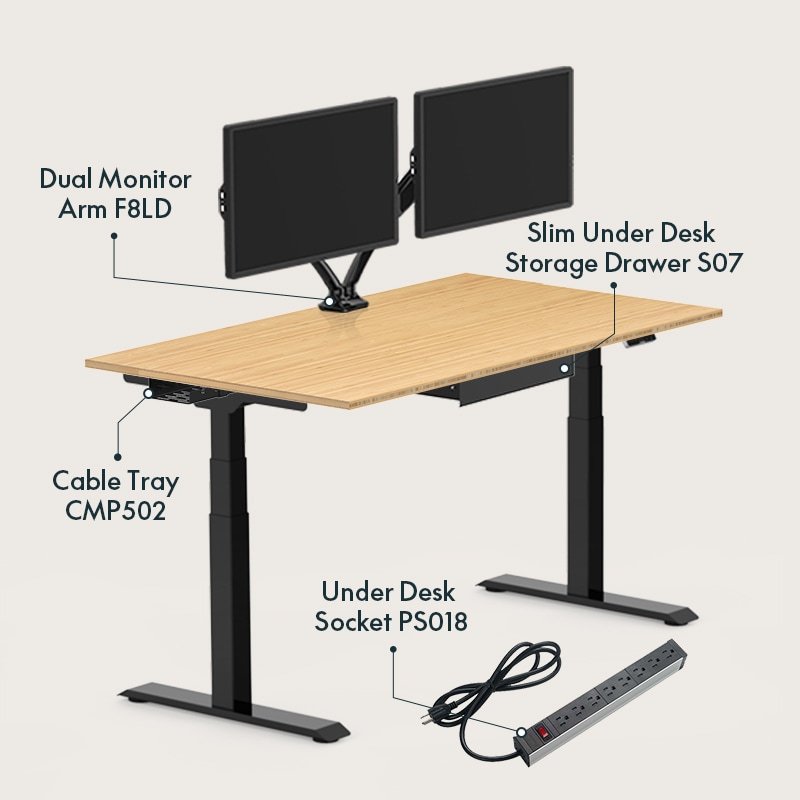
The combination image below retains its F8LD-related labels. The current combination page names F7D instead; neither that difference nor the photograph establishes your supplied kit.
The CMP502 installation guide identifies CMP502-S/B/W and shows a template and connecting brackets. Match that guide to the supplied variant and kit, then obtain the tabletop manufacturer's approval before fastening.
Its support-screw description differs from the product-page parts list. The actual kit and revision correspondence were not established, so the difference remains unresolved. Do not select a universal screw or penetration length from either source. Obtain the matching installation instructions rather than treating this reference as a drilling procedure.
Map the frame, control box, existing fixings and clamp area first. Thin, hollow or metal tops need applicable mounting instructions. An external size pass does not establish a safe fixing location.
A smaller drawer can still obstruct the work
Imagine a reader considering an S07 drawer in an apparently clear underside area. The smaller M housing may fit where the wider L does not, yet its opening path or position near the legs can still make that location unsuitable. A fitting housing is only the beginning of the check.
A CMP502 tray serves a different job and may require another documented mounting area. Do not assume rotating it will resolve the fixing requirements. Check the frame, control box, moving cables and the objects stored inside or above each accessory.
This hypothetical arrangement has no approved desktop or installation. A top appearing within the published E7 Pro bounds would not by itself validate the underside mounting locations, opening path or chair approach.
- Storage and openingDrawer housing, contents and full movement path.
- Mounting and serviceApproved fixings, frame clearance and reachable connectors.
- Desk travelCables crossing to fixed endpoints without catching or pulling.
Let cables move and remain reachable
A tray attached to the moving top rises with it; a wall connection does not. Separate those routes using the cable-planning guide, then check the actual desk travel, arm sweep and connector access as instructed.
Keep adapters ventilated and accessible according to their own instructions. Metal construction and an open design are descriptions of the organizer, not proof of fireproofing or electrical protection. A cable spine can organize a transition, but it does not create missing cable length.
A combination image is not the selected parts list
The accessory-combination page describes several jobs. Its current text names an F7D monitor mount, while the existing registered combination-image caption refers to F8LD-related equipment. We do not equate those models or infer included items from the photograph.
A loading zero-price field is not a delivered quote or bundle savings. Obtain the actual item codes and contents, then check each item independently. The pictured combination does not identify a stocked, compatible installation.
Keep, relocate or verify
Keep a desktop organizer if accessible small-item storage already solves the problem. Start with labelled reusable ties if loose cables are the only remaining job. A larger underside accessory is useful only when it has a documented place and purpose.
For the example above, relocate or omit an accessory that lacks a suitable approved location. Verify the smaller drawer's installation and opening path before treating its fitting housing as usable. If the constraint starts with the whole workstation, the compact-space guide provides that broader planning record. The next action here is exact accessory identification and mounting evidence, not buying a different desk in place of the accessory.
About this guide: An editorial research profile, not an individual reviewer. Explains model specifications, configuration choices and the limits of manufacturer evidence. Editorial profile
Keep planning your workspace.
Use the sources and related guides to choose your next step.
Explore desk essentials →