DeskSpace

You can hear a meeting clearly through headphones while the computer is still using its built-in microphone for your reply. The listening device and the microphone are separate parts of the call. Choosing one does not prove that the application selected the other.
Begin with where the conversation belongs. For an individual call in a shared room, keeping incoming sound at your ears may be more suitable than playing it to everyone nearby. Speakers may suit a private room or people deliberately listening together. In either arrangement, check what you hear, what you send and what the room's other occupants experience.
Choose who should hear the incoming audio
A headset or headphone arrangement directs the call to a listening device rather than the room speakers. That can be a useful choice when someone else is reading or working nearby. It does not silence your side of the conversation or establish that no audio escapes the device.
OSHA's telephone guidance describes hands-free options for substantial telephone use and makes speakerphone use conditional on not disturbing other workers. The other person's activity is therefore part of the choice, not an afterthought once the meeting starts.
Speakers can make sense when people in the room intentionally need the same conversation. A room used alone may also allow that option. Neither situation makes the sound private by itself, and a listening device is not a confidentiality barrier. If the work has a privacy requirement, address that requirement separately from whether the call is audible to you.
Identify the microphone as its own device
A headset includes a microphone; ordinary headphones may rely on a separate input, including one built into the computer. Check the actual equipment rather than inferring a microphone from a generic headphone photograph or assuming that every connected device becomes the active input.
Zoom's audio-testing guidance shows separate selection and testing for the speaker or headphones and the microphone. The speaker test plays a sound; the microphone test records and replays the selected input. Those checks answer different questions.
Read the selected device names in the application you actually use. If the intended microphone is not selected or available, investigate that connection and the application's guidance before judging the equipment's quality. A more expensive listening device would not, by itself, resolve a microphone that the call is not using.
Use the current help for the application rather than relying on a remembered menu sequence. Controls and available devices can change with the software and connected equipment.
Test ordinary speech before the real conversation
Try the equipment you already have before deciding that another purchase is needed. In the actual calling application, confirm the intended listening device and microphone. Use non-sensitive sample speech and an ordinary room condition, then listen to the microphone playback where that feature is available.
Ask whether the words are intelligible and whether the recording represents the input you intended to evaluate. If it does not, revisit the selected microphone and its setup instructions. This is a practical self-check, not a laboratory comparison or a promise about what every participant will hear.
Imagine someone who selects headphones for output but leaves the laptop microphone as input. A replay reveals which recording path needs attention. The useful next step is to select and check the intended microphone, not to assume the headphones themselves caused the problem. This is an illustrative device-selection case, not a fault we reproduced.
Repeat the relevant check when you change the connected equipment or application arrangement. A test of one audio path does not establish another.
Keep same-meeting echo separate from room sharing
Two nearby computers connected to the same meeting create a different question from two people having unrelated calls. Zoom's echo guidance explains that nearby active speakers or multiple computers in the meeting can return audio. It also describes other possible causes, including speaker volume and microphone or cancellation issues.
For additional computers in the same room and meeting, Zoom advises disconnecting computer audio on those additional devices. Muting only a microphone leaves that computer's speaker audio active. Follow the platform's instructions for the intended arrangement rather than treating microphone mute as a complete disconnection.
Imagine two people joining the same meeting from separate laptops to see their own documents. Both leave computer audio connected. They check the platform's guidance and choose an audio arrangement for listening and speaking together before replacing equipment.
That imagined case identifies a configuration question, not a guaranteed echo fix. Separate private conversations still require a room plan; changing same-meeting audio cannot settle that different need.
Consider wearing and handling the equipment
After the audio path is established, decide whether the arrangement suits the way you use it. A listening device that is acceptable for one person's brief check-in may not be their preferred choice for a longer conversation. Evaluate the actual fit and handling rather than using a feature list as evidence of personal comfort.
Consider whether you regularly get up, where the device rests between calls and how its cable or charging routine fits the desk. These are practical preferences, not a wired-versus-wireless quality ranking. A connection type alone does not establish microphone quality, delay or reliable operation in your setup.
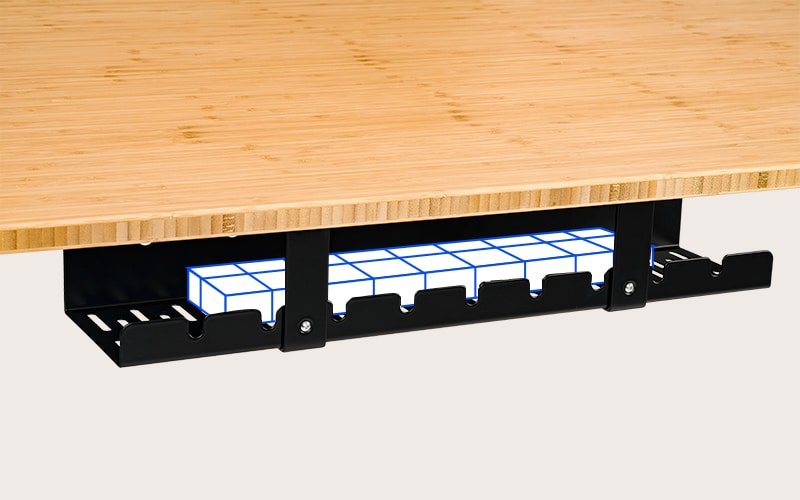
If the remaining difficulty is a cable crossing the working area or an inaccessible connection, use the cable-management guide for that specific task.
Keep the choice tied to the room and the call
Keep existing equipment when the listening and microphone paths work and the arrangement suits the people sharing the space. Investigate a replacement only after identifying the unresolved job: the intended input is unavailable, the physical fit does not suit you, or the handling creates a repeated interruption.
For overlapping conversations and concentrated work, continue with the shared-home-office guide. Headphones do not remove the wearer's speech from the room. If changing the laptop's role also affects its camera or controls, the open-versus-closed laptop guide addresses that separate setup decision.
Sources and review scope
The linked OSHA telephone guidance and Zoom audio-testing and echo articles were read November 2, 2026. They support general workstation choices and application checks, not a comparative headset test or a guarantee about every conferencing platform.
DeskSpaceLab has not measured microphone quality, noise isolation, echo cancellation, latency or comfort. The scenarios and check sequence are editorial planning. Contextual photographs do not establish application settings, a hidden microphone or confidentiality.
About this guide: An editorial planning profile, not a medical professional. Turns workspace questions into measurements, layout decisions and practical buying sequences. Editorial profile
Keep planning your workspace.
Use the sources and related guides to choose your next step.
Explore buying guides →