Standing desks · Buying guide
FlexiSpot E7 Pro: save your positions, simplify your desk
Bring your chair, screen and cable equipment into a setup you can return to throughout the day.
The quick decision
Is it right for your day?
Choose E7 Pro when saved positions and its rearward frame layout would improve your current setup. First confirm that the complete desk suits your seated position and the attachments you want to keep.
- The complete desk may sit too high for your preferred seated position
- The frame and your chosen accessories can still compete for mounting space
Research-based guide. DeskSpaceLab has not tested this product. Sources and review scope
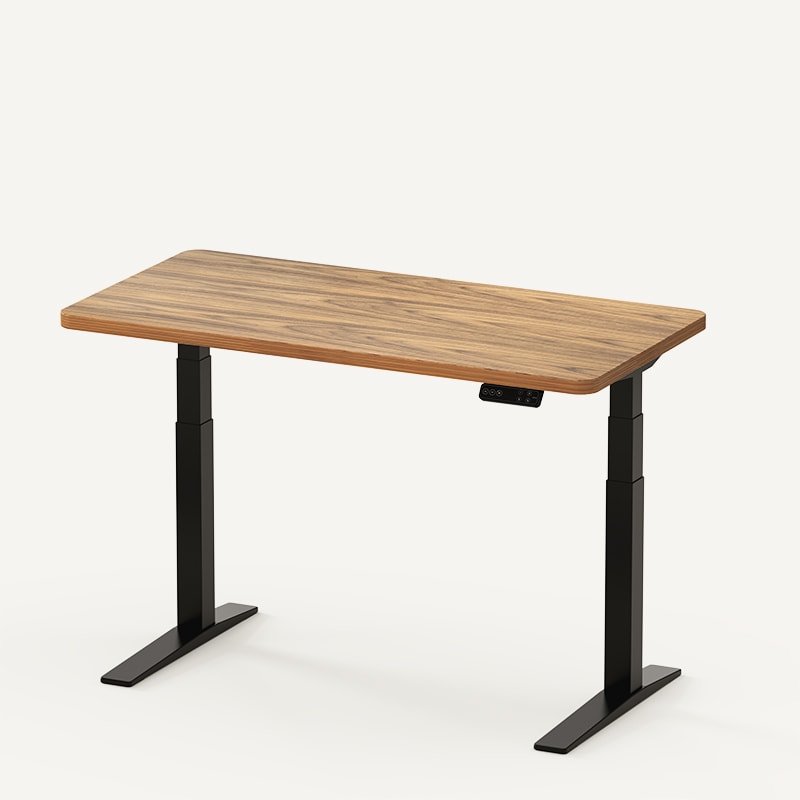
You sit down to write, stand for the next task, then come back to the keyboard. A useful standing desk makes those changes easy to repeat. The E7 Pro is worth considering when you want familiar positions ready at a button press and a more deliberate place for the equipment beneath your desk.
The reason to choose it is the setup you can build around those features. Start with the chair and accessories you already like; Pro needs to work with them before its extra features earn their place.
Return to the positions you actually use
FlexiSpot's US E7 Pro page describes a controller with saved settings. Once you have found suitable seated and standing positions, you can recall them instead of searching for the same setting each time.
Imagine a reader who drafts a report while seated and prefers to stand for part of the next task. For that person, recalling a familiar position is the useful upgrade. This is a possible routine, not a setup DeskSpaceLab has tested, and changing positions does not promise a health or productivity result.
Plan the space around your chair
Pro places its supports toward the rear of the frame. That gives you a different underside layout to consider when arranging a chair, monitor arm or drawer. It does not establish that every attachment will fit.
Think about the whole arrangement: can your chair approach the keyboard as intended, can you reach the monitor clamp, and can the drawer open without meeting another component? Ask FlexiSpot about the selected top and frame if the fixing locations remain unclear. Avoid buying the desk on the assumption that a different support shape removes every conflict.
Give cables a home before buying more organizers
The Pro page describes an under-desk tray and fabric cover. Examine the equipment included with your selected bundle before adding another organizer. Keeping suitable adapters beneath the top can leave the work surface less crowded, while accessible connections make the next equipment change easier to plan.
A tidy bundle still needs to move safely with the desk. Keep the connection to the wall free to follow the permitted travel, and follow the equipment instructions. Our cable-management guide explains that routing decision without turning it into another shopping list.
If saved positions and this equipment layout answer problems in your present setup, match the top, controller and included cable parts to the arrangement you want.
View FlexiSpot E7 Pro at FlexiSpot
Manufacturer link, not an affiliate link.
Keep the seated position in the decision
Confirm that the complete desk reaches a seated position that suits you. The chosen top and any accessories that raise the desk can change that result. A standing position that works does not settle the seated one.
It is also worth keeping expectations about movement and handling realistic. In Danny Welsch's E7 Pro review for The Gadgeteer, he appreciated the saved settings and cable pieces, while noting some movement at standing height and a heavy assembled desk. FlexiSpot supplied his sample, and the review discloses affiliate links. His configuration does not certify the revision you will receive or predict your monitor's movement.
Compare the improvement you need most
Use the E7-family comparison if the right starting position or frame arrangement remains undecided. For a different approach to the desktop, controls and cable storage, read UPLIFT V3 versus E7 Pro.
Pro makes the strongest case when its positions and layout resolve a recurring limitation. If your current desk already supports that routine, keeping it is a sensible choice. If Pro is the better fit, take the exact configuration forward and confirm the complete delivered price, included equipment and return conditions before ordering.
Sources and review scope
The US E7 Pro product page, E7-family information and Welsch's linked review were checked October 24, 2026. The outside review was published March 1, 2024; its full trial duration, region and equivalence to the current bundle were not established. This is document-based buying guidance. DeskSpaceLab has not tested this desk, its assembly, stability or comfort.
About this guide: DeskSpaceLab Product Research · Our editorial approach and affiliate policy