DeskSpace

Reading a figure from an invoice and correcting that invoice are different desk tasks. The page may be easy to see beside the monitor, yet awkward to write on. Lay it down for a note, and you may need to move the keyboard before returning to the spreadsheet.
Plan around that change of task. A useful arrangement lets the active document move between reference and writing without making you rebuild the workstation each time. A holder can help with one phase, but keeping an existing flat writing area may be the better answer for another.
Decide what the active page is doing
Start with a real piece of work: entering information from a form, checking a printed draft or marking a document before updating its digital version. Notice whether you mostly consult the paper, write on it, or move repeatedly between those activities.
That distinction gives a document support a job to justify. For a reference page, you want to find the relevant passage while keeping the computer inputs usable. For annotation, the page also needs to stay stable under the action of writing. A support that presents the text clearly has not necessarily answered that second question.
Keep waiting documents separate from the active source where practical. This is a workflow choice, not a claim of measured productivity: a clear place for the current page makes it easier to preserve its role when you move to the next task.
Place reference material in relation to the screen
OSHA's document-holder guidance considers the reference material alongside the monitor and other workstation components. It describes placing material near the user and screen, with stability and lighting appropriate to the document.
Try the position with the task that needs it. If the screen is the main focus and you occasionally check a passage, a support beside it may be worth investigating. If the paper is consulted constantly, another position may make the relationship between source and screen more useful. There is no single placement established here for every document or reader.
Use the actual material in this check. A loose sheet, a bound book and a set of pages that must be turned make different demands. Check that the source stays supported while you find the next item, rather than judging the arrangement from an empty holder or a decorative book.
Choose writing access separately
OSHA's purchasing guide distinguishes a document location beside the monitor from an arrangement between keyboard and monitor when the work calls for more frequent paper access or writing. These are possibilities to evaluate within the workstation, not instructions to push the keyboard away to make a new object fit.
OHCOW's equipment guidance also distinguishes supports by the material they carry and the access they provide. Its illustrated writing and reference arrangements have different limits. Do not assume that every upright holder can take a heavy book or that every sloped support is suitable for annotation.
For writing, check whether the document remains stable and accessible while you make the marks the task requires. Then return to the keys and pointer. An arrangement that works only after the inputs are displaced may still be useful for a separate writing session, but it has not yet solved frequent switching.
An invoice can need more than one position
Imagine a reader checking an invoice against entries in a spreadsheet. With the invoice in a reference holder, the relevant lines are easy to locate. When a correction is needed, however, the holder tips under the marking action.
The reader tries an existing stable writing location, makes the correction there and returns the page to its reference position. That is a different solution from replacing the holder with a support intended for both reading and writing. Either approach deserves evaluation against the actual task and available setup.
The conclusion is to plan both phases. Do not choose a larger desk by default when the unresolved question is what holds the active page during annotation. This is an imagined workflow, not a document-support test or a verified installation.
A reader who marks most pages before doing any computer entry might prefer to keep the writing phase together. Someone who alternates after every passage needs a transition they can repeat without repeatedly moving essential equipment. The pattern of work changes the useful arrangement.
Try reading, marking and returning to the computer
Work through an ordinary document before deciding what to keep:
- Read from the source while entering or checking information on screen.
- Turn the page, consult the next section or handle the binding as the task requires.
- Make the usual annotations on a stable surface or a support intended for that use.
- Return to typing and pointing, with the active page still easy to identify.
Notice where the sequence breaks. Perhaps the support obscures part of a form, the page will not stay in place, or the writing position prevents useful keyboard access. Naming that problem is more helpful than deciding in advance that every paper task needs a particular style of holder.
Use the support's instructions for the documents and actions it permits. A photograph cannot establish its stability, capacity or suitability for writing, and this guide does not approve a particular accessory.
Resolve the remaining light or input problem
Paper and screen need to work in the same arrangement. OSHA's document-holder guidance notes that lighting the document should not create reflections on the display. Use the home office lighting guide if a readable page now leaves an unwanted bright patch on screen.
If the transition back to typing still feels awkward, revisit the chair, keyboard and desk relationship. If the entire working area remains in conflict, the usable desk-space guide addresses that broader placement question.
Begin with one real document and follow it through the work. Keep the arrangement that supports both the active page and your return to the computer. Buy a support only when it has a task the existing arrangement cannot serve.
Sources and review scope
The linked OSHA document-holder and purchasing guidance and OHCOW equipment guidance were read November 2, 2026. They inform general workstation planning; their examples do not approve a reader's installation or every accessory of a similar shape.
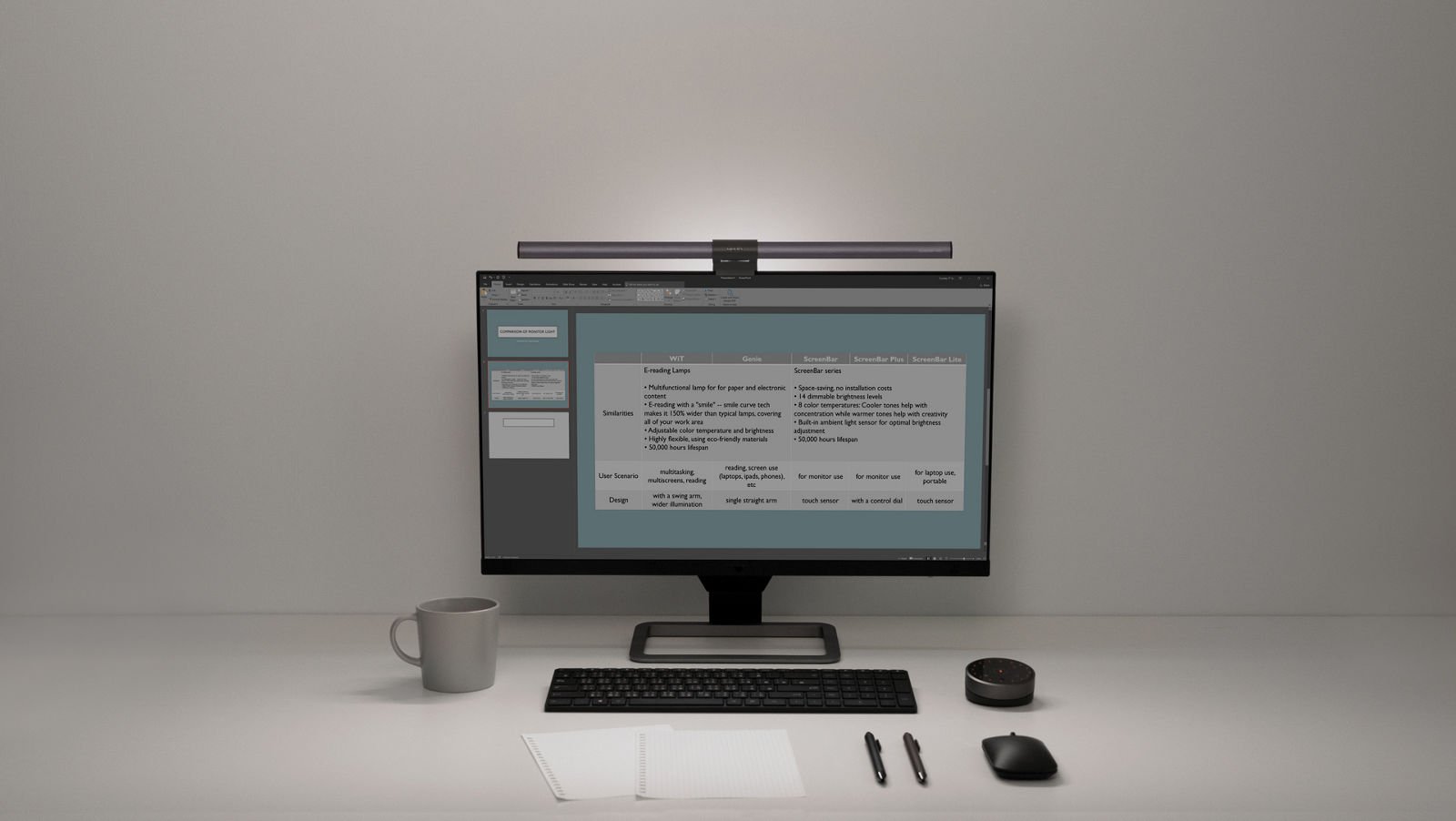
The active-page method and invoice scenario are DeskSpaceLab editorial analysis. No physical support, writing setup or health outcome was tested. Contextual photographs illustrate paperwork and computer use, not a verified document-holder model or posture assessment.
About this guide: An editorial planning profile, not a medical professional. Turns workspace questions into measurements, layout decisions and practical buying sequences. Editorial profile
Keep planning your workspace.
Use the sources and related guides to choose your next step.
Explore buying guides →